Case study · 2026
I built a fake church website.
A 6-hour AI-assisted build of a fully-launched church website — strategy, design, imagery, motion, content, deploy — to show what's possible without giving away my actual business.
00 · Why this exists
I posted in a Facebook group that I was building lead-generation websites on Astro. Someone commented: "What does that look like?"
I didn't want to hand my actual playbook to strangers. So I built this instead — a real, fully deployed site for a fictional non-denominational church in Carlsbad, California. Same stack, same process, same polish as the live sites I build for home-service businesses. Just with the specifics swapped so nobody gets my real go-to-market.
Every page on this domain is here to prove a point: with the right tools, the right process, and some strong opinions about design, you can ship a beautiful, strategically-aimed, SEO-ready website in a weekend. Not a landing page. A site. With imagery, motion, pillar content, a filterable blog, schema, the whole thing.
This page tells you exactly how. No hand-waving.
01 · The spark
A comment on a Facebook post
A single comment. That's the whole ignition story.
If I'd shown my real work, I'd be teaching competitors to undercut me in a vertical I've spent months researching. So I picked a vertical where I have deep domain knowledge (13.5 years working at a church) but no active agency play. A showcase — not a client brief.
Build a real, deployed, fully indexable site. Not mockups. Not Figma. Not "here's what I could build" — here's what I did build. Any prospect can click through every page, read every blog, watch every video.
02 · Voice note, not a brief
15 minutes into Otter.ai.
No structured brief. No brand-strategy deck. Just me pacing my office, talking into my phone about everything I'd learned in 13+ years around churches.
What people outside wanted
Service times. An address. A livestream link. "Is this weird?" reassurance. A clear "what to expect" guide. And to not be forced to talk to a person before they'd decided anything.
What people inside kept complaining about
The website never answered the questions visitors actually asked. Ministry pages were stale. The livestream was buried three clicks deep. Nobody could ever find baptism info.
The clarity problem
Every church I've ever worked at assumed too much. They used insider words on a page read by outsiders. The homepage said "Welcome home" without explaining what home actually meant or whether you were allowed to walk in.
I dumped the transcript into Claude. That transcript informed every copy decision on this site — from the homepage lede ("A coastal church for anyone figuring out faith") to the Visit page's "6 questions every first-timer asks" block. Every decision was downstream of those 15 minutes.
03 · Research by the kilo
9,181 keywords. Read in one sitting.
I opened Claude with my Chrome extension, pointed it at my Ubersuggest account, and asked it to pull viable keywords for a non-denominational church in Carlsbad.
I also fed it something most SEO workflows skip: a list of questions non-believers actually ask. "Is the Bible true?" "Why does God allow suffering?" "What happens when you die?"
Claude went and pulled 62 CSV files covering local search, ministries, life events, seasonal traffic, and every deep question in the informational tier. After deduping, I had 9,181 unique keywords with volume, difficulty, and CPC — all of which I then had Claude aggregate, filter, and rank into a single opportunity file.
"Bible verses for anxiety" — 49,500 searches/month at difficulty 16.
That one keyword represents more monthly search volume than the entire local Carlsbad church market combined. Our flagship pillar page targets it.
04 · The strategy that emerged
Two tracks. One local. One national.
~8 Carlsbad queries
Rank the homepage, /visit/, /watch/ for "church in Carlsbad," "non-denominational Carlsbad," etc. Realistic ceiling: 300–600 local sessions/mo.
8 pillar pages + 40 blog spokes
Dominate national-volume keywords with deep content. Every page has CTAs to attend or watch the livestream — converting informational traffic into Sunday attendance.
Expected trajectory: Month 6 ≈ 6,000 sessions. Month 12 ≈ 20,000+. If we rank top-10 on just two of the pillar terms, the entire business pays for itself.
05 · How people will actually find this site
Most church websites are built for people who already know the church exists. This one was built for strangers.
If nobody's ever heard of you, the only way they find your website is by typing a question into Google and you being the answer. So before I designed a single page, I made a list of every question people like this might type.
"Is there a church in Carlsbad I could try tomorrow?"
This person is ready to walk in the door. Not many people are typing this — maybe a few thousand a month in San Diego — but the ones who are? They show up. These searches live on the homepage and the visit page.
"Bible verses for anxiety."
This person isn't looking for a church. They're looking for help. Hundreds of thousands of people search this every month — and most of what they find is thin. If we write the best page on the internet for this topic, we earn trust from a stranger. They might never visit. That's fine. The next time they have a life question, they already know where we are.
"Does God answer prayer?"
This person already read one of our deep articles and had a follow-up question. We have 40 follow-up articles waiting, each one linking back to the big one. Google loves websites that answer a topic fully — and so do the readers who keep coming back.
The clearest example
"Bible verses for anxiety" — what this actually unlocks.
49,500 people Google that phrase every month. That's more than the population of Carlsbad. The competition for the top spot is soft — mostly listicle-style articles that don't actually help.
We built one genuinely helpful page with 50+ verses grouped by situation, honest framing, and a prayer framework for each. If that page ranks anywhere on page one of Google, the website gets thousands of new visitors a month — without paying for ads, without cold outreach, without knowing anyone.
That's the whole game. Find real questions. Write the best answer. Let search do the rest.
06 · Design
Ten palettes before one locked in.
Most church sites are warm-beige with cool accents. I wanted to break that. I iterated through four rounds of palette exploration — sea glass, monochrome, burgundy, forest, sunrise, coral — before landing on Atelier: warm black, cream, dusty clay rose, muted olive, oat.
Typography: started with Fraunces (a contemporary editorial serif with personality), but the display caps read "squiggly" to me on review. Swapped to Source Serif 4 — same warmth, cleaner letterforms, zero decorative noise.
The logo: 10 AI-generated concept directions via Gemini, then six hand-built SVG options, then one winner: a circle mark of the sun rising over a horizon line. It's a wayfinding mark (orientation, new day) before it's a religious mark (Christ as the light). Reads both ways. No cross in the logo — the actual faith is in the content.
07 · 77 images in one run
Gemini 2.5 Flash Image, locked to Atelier.
Before any prompts, I wrote a "realism directive" — a prompt snippet appended to every image request. It enforces the palette, the editorial style, warm muted tones, real anatomy (five fingers per hand), no stock poses, no saturated corporate colors.
Then I wrote 77 image briefs: hero shots, ministry cards, pillar resource images, staff portraits, OG cards, and 40 blog hero images. Each tied to a specific slot in the site.
Ran it once. 77 of 77 succeeded on the first try. No retries needed. Total payload after sharp compression: 7 MB across the entire site.
"Style: editorial documentary photography. Natural light. Warm muted tones. Feels like it could be published in Kinfolk or Cereal Magazine. Color palette must feel like Atelier — warm cream, clay rose, olive. Avoid saturated colors. Human anatomy must be correct: five fingers per hand, real faces. Subject diversity: include natural demographic variety."

07 · Motion, surgically
Six clips. Never twenty.
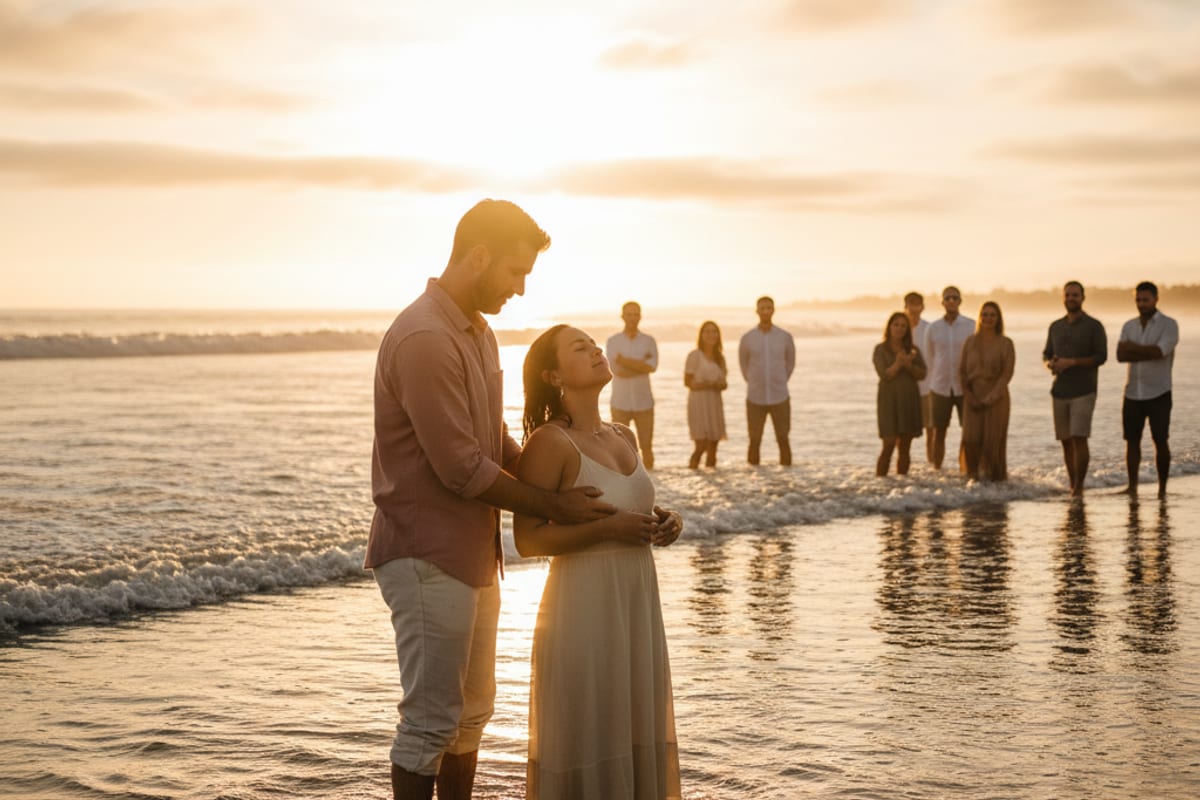
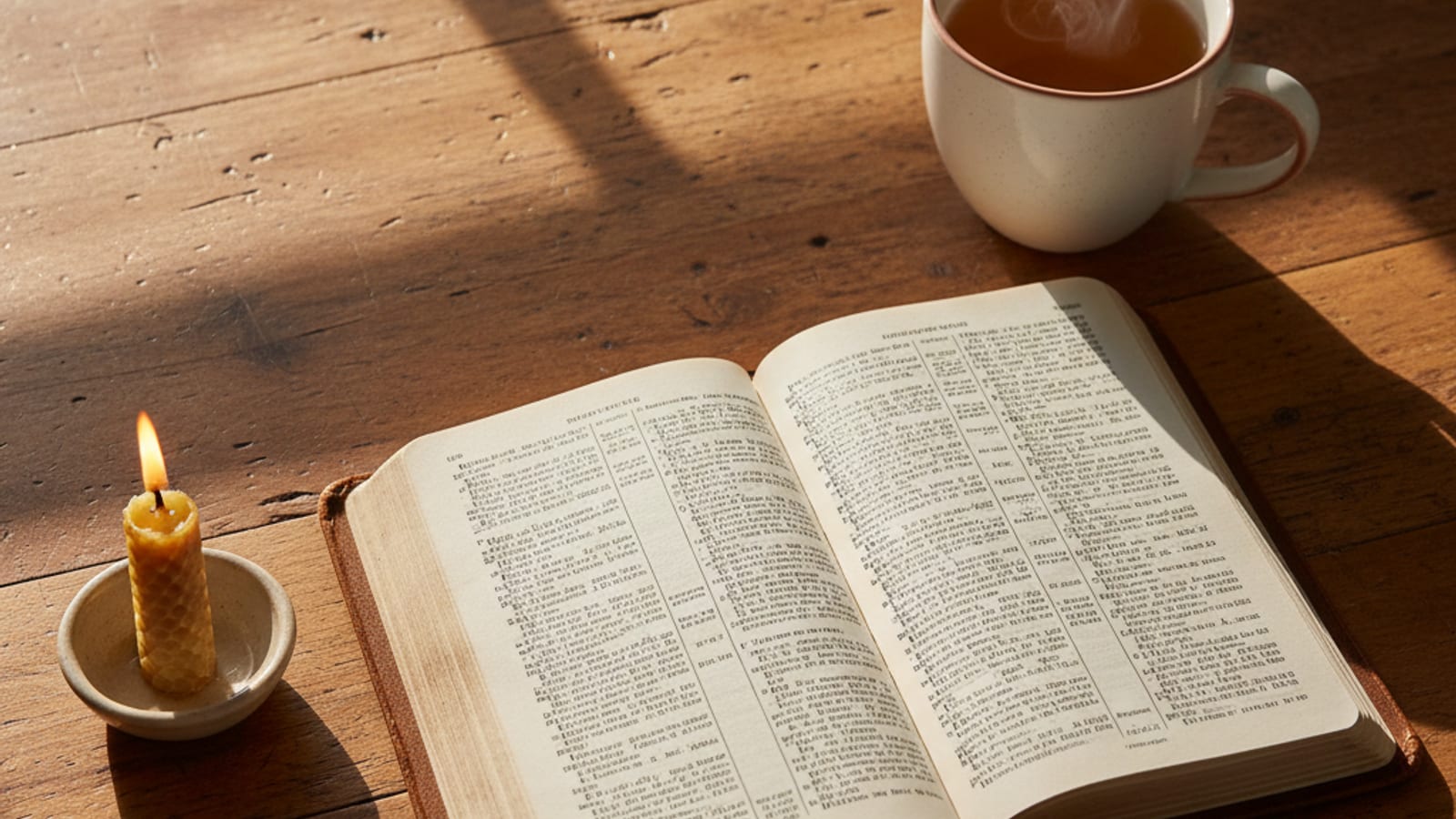
Most sites that add motion add it everywhere and it feels cheap. I picked six slots where motion genuinely adds story: Sunday service drift, families walking in, stage lights, beach ceremony, ocean baptism, candle flicker over a Bible.
For each: I generated the static image, wrote a paste-ready Kling 3.0 motion prompt, and handed it off. Kling produced 11MB MP4s. My ffmpeg pipeline crushed each one to under a megabyte — plus a VP9 WebM fallback for modern browsers.
Every motion clip lazy-loads, autoplays muted, pauses when offscreen. The <HeroMedia> component gracefully falls back to static if the MP4 isn't present. Total site-wide motion payload: under 5 MB.
Live preview — the anxiety pillar page motion clip, ~630 KB.
08 · 40 blog posts with a plan
Not posts. Spokes.
Every one of the 40 blog posts maps to a specific keyword cluster with real volume and difficulty data — and links back up to its pillar page. Hub-and-spoke SEO, built from the research layer, not guessed.
Including "50+ Bible verses for anxiety" and "Why go to church? 5 reasons that aren't guilt."
Real frontmatter, real keywords, real hero images. Ready to be fleshed out by an editor or a follow-up automation pass.
Prayer, mental health, salvation, marriage, Holy Spirit, heaven, forgiveness, family, Bible study, church, fasting, big questions.
The blog index has a synonym-aware search (typing "parent" surfaces family posts; typing "anxious" surfaces anxiety posts) and category filter chips with live counts.
09 · Ship.
First deploy by hour 4. Shipped by hour 6.
Facebook comment spotted. "What does this look like?"
Otter.ai 15-min brain dump done. Transcript handed to Claude.
Claude + Ubersuggest. 62 CSVs pulled, 9,181 keywords aggregated, ranked, analyzed. Research took longer than expected — tool kept hitting edge cases.
Strategy locked. Site architecture, palette, logo, font all chosen.
79-page scaffold built. First deploy to Cloudflare Pages.
77 AI images generated via Gemini. 6 Kling motion clips delivered, compressed, wired.
Polish pass, smart blog search, this page published. You're reading it.
10 · The stack
Tools, in the order I'd pay for them.
Claude
The pair programmer. Writes every line of code and copy. Reads CSVs, writes scripts, deploys.
Astro 5 + Tailwind 4
The site framework. Static output for speed + SEO. MDX for the blog.
Gemini 2.5 Flash Image
All 77 images. One-shot, palette-locked.
Kling 3.0
Image-to-video motion clips. One prompt per image.
ffmpeg
Compress raw Kling exports to under 1 MB each. VP9 WebM fallback.
Ubersuggest
Keyword data. 62 CSVs. 9,181 rows.
Cloudflare Pages
Hosting. Free tier. Global edge. Deploy in 3 seconds.
Otter.ai
The brief. 15 minutes of pacing in an office.
11 · What it actually cost
The total build came in under $65.
Not a typo. The whole thing — strategy, 77 images, 6 motion clips, 40 blog posts, full site, deployed — was built on a stack that anyone reading this can afford.
Claude
$20–$200 / moFlat monthly subscription. I ran this entire build inside Claude Code — one conversation, no per-token billing. Plans start at $20/mo; power users pay more. For a build this size, I never hit a limit.
Gemini 2.5 Flash Image
$3Pay-per-image API. All 77 site images at roughly four cents each. One generation run, zero retries, zero dollars wasted.
Kling 3.0
$32Image-to-video credits for six hero motion clips. Runs on a prepaid credit pack — one-time purchase, no subscription required for a build this size.
Ubersuggest
$29 / moKeyword research. 62 CSVs, 9,181 rows. Worth it for the research phase — and then cancel. Free alternative: Google Search Console gives you a lot of the same data for zero dollars.
Cloudflare Pages
FreeHosting, CDN, global edge, unlimited bandwidth on the free tier. The whole site lives here. Zero ongoing cost.
Total variable cost
~$65$3 Gemini + $32 Kling + $29 Ubersuggest (month one, cancel after). Claude subscription not included — it covers this build and everything else you do that month. Plenty of AI freelancers, designers, and devs already pay more.
If you're quoted $8,000–$20,000 for a website — ask what the hosting bill looks like on month 13. Ask if you own the code. Ask how many images. Ask for the SEO keyword research. The math gets interesting.
12 · The backend is part of the deliverable
Every site we build ships with a dashboard.
Not a login-gated Wordpress panel. A real-time window into what the site is doing for you — traffic, rankings, the publishing queue, social posts scheduled across platforms, SEO health, even AI citations. Here's a sample populated with plausible demo data so you can click around.
Traffic & leads
Daily visitors, plan-a-visit submits, prayer requests, livestream views. One screen, at a glance.
Keyword rankings
Every keyword we're targeting, its position in Google, and 30-day movement. So you know what's working.
Content queue
What's publishing Monday, Wednesday, Friday, Sunday — titles, keywords, authors, status. Never surprised.
Social queue
Posts scheduled across Facebook, Instagram, X, and LinkedIn — previewed before they go out.
And for you?
I build these for real businesses.
Home services, professional services, trades, local SMBs. The process is the same — the vertical is yours. If you've been quoted $8–20k for a website and you want what you're actually paying for, let's talk.